For the last year, getting a coding agent to match your standards meant pasting the same instructions into every session, or maintaining a sprawling rules file that slowly drifted out of date. That workaround is over. Agents now load skills — self-contained bundles of instructions the model reads only when the task calls for them — and the ecosystem around them has grown quickly enough to need curation.
So we built one. listing.sh now has an Agent Skills section: 25 skills across interface design, development, motion, and research, each one checked, categorised, and installable in a single command.
What are AI agent skills?
AI agent skills are folders of instructions, and optionally scripts and reference files, that an agent loads on demand to do a specific task well. The Agent Skills overview (opens in a new tab) calls them "a lightweight, open format for extending AI agent capabilities with specialized knowledge and workflows". At minimum, a skill is a folder with one SKILL.md file: YAML frontmatter with a name and a description, then the instructions in Markdown.
The specification (opens in a new tab) sets the rules. The name has at most 64 characters, in lowercase letters, numbers and hyphens. The description has at most 1,024 characters and says what the skill does and when to use it. Optional scripts/, references/ and assets/ folders hold code, documentation and templates.
Anthropic developed the format for Claude and, in a December 18, 2025 update to its engineering post on Agent Skills (opens in a new tab), published it as an open standard for cross-platform portability. The Agent Skills client showcase (opens in a new tab) now lists dozens of agent products that support it, including Claude Code, Cursor, GitHub Copilot, VS Code, Gemini CLI, and ChatGPT and Codex.
How an agent loads a skill
The frontmatter's description is the part that matters, because it's what the agent scans to decide whether the skill is relevant to what you just asked for. If it is, the full instructions load into context. If it isn't, they stay out of the way. Anthropic's Agent Skills docs (opens in a new tab) call this progressive disclosure and give rough sizes: about 100 tokens per skill for the name and description, under 5,000 tokens for the instructions, and nothing for bundled files until the agent opens them.
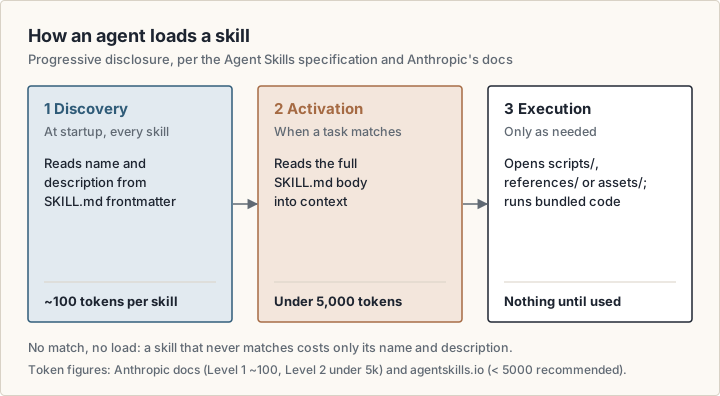
That distinction is the whole reason skills beat a rules file. A rules file is always loaded, so every instruction competes for attention on every task. A skill costs you only its one-line description until the moment it applies. You can install twenty of them and pay in full for one.
“The interesting thing about skills isn't that they add capability — it's that they add capability conditionally. A well-written description is worth more than a well-written skill, because a skill that never loads at the right moment may as well not exist.”
— Tama
Why this needed a directory
Skills are distributed as GitHub repositories, and for a long time they surfaced through screenshots on X, a link in someone's newsletter, or a repo that trended for a day and then disappeared. Discovery has improved: skills.sh (opens in a new tab) runs a leaderboard ranked by installs, and the skills CLI has a search command. But the quality range is still enormous — a genuinely good motion-review skill sits alongside a dozen that are three bullet points and a promise.
The other problem is attribution of quality. A repo's star count tells you how popular the repository is, not how good a specific skill inside it is, and an install count measures popularity rather than fit. Several of the best skills we found live in monorepos with tens of thousands of stars earned by something else entirely. Others are single-purpose repos with a few hundred stars and sharper output.
What's in the list today
We've grouped the first 25 into four categories, weighted toward the work our readers actually hand to agents:
- Interface (13) — design critique, UI polish passes, accessibility audits, colour systems in OKLCH, and extracting a starting set of design tokens from a live site
- Development (8) — frontend design, shadcn/ui composition, React and Next.js performance rules, advanced TypeScript types, and persistent browser automation for agent workflows
- Motion (3) — Apple-style fluid motion translated to the web, animation code review, and a reverse-lookup glossary for naming the effect you're trying to describe
- Research (1) — structured interrogation of a plan before you commit engineering time to it
Each listing shows who publishes it, what it does in one line, the source repository's current star count fetched live rather than frozen at the time we wrote the entry, and a copy-to-clipboard install command. The row itself links through to the full skill documentation.
Installing one takes a single command
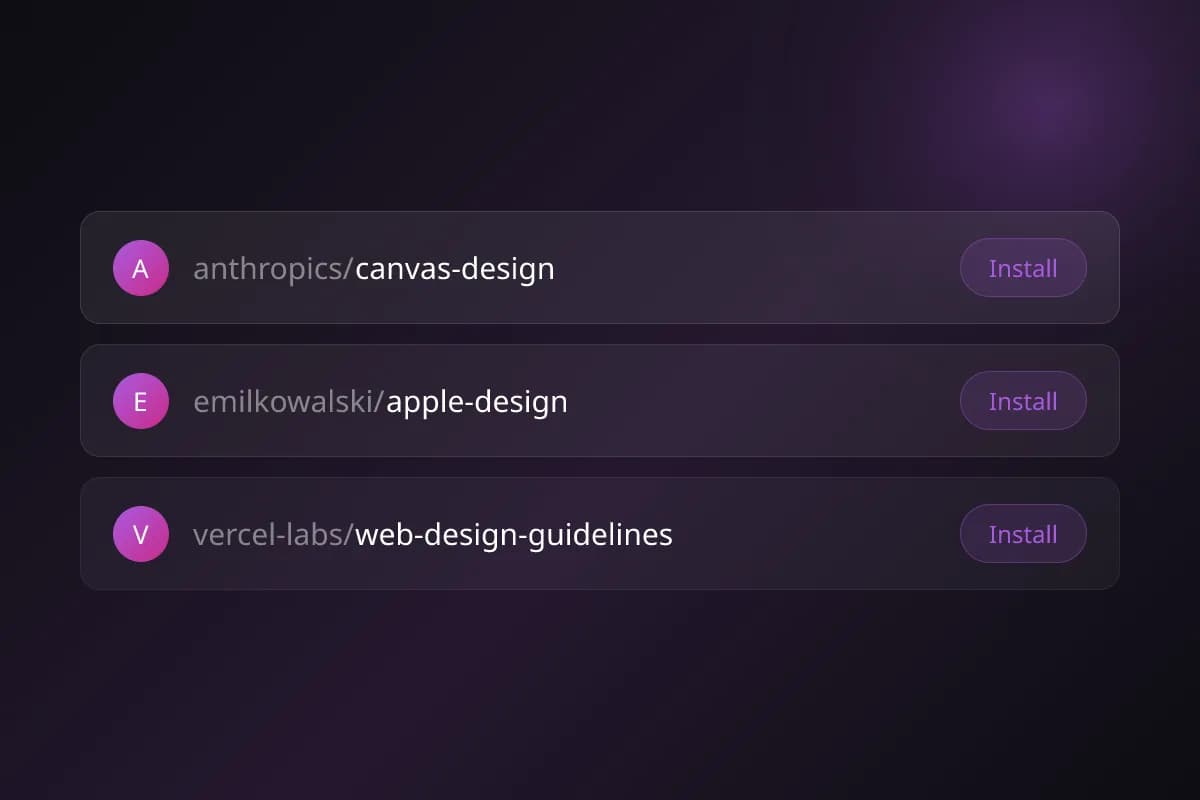
Every skill in the directory installs the same way. Hit the Install button on a row, paste, and you're done:
- npx skills add https://github.com/emilkowalski/skill --skill emil-design-eng
- npx skills add https://github.com/vercel-labs/agent-skills --skill web-design-guidelines
- npx skills add https://github.com/anthropics/skills --skill canvas-design
The command runs the open-source skills CLI (opens in a new tab) from Vercel Labs. Its README says it needs Node.js 22.20 or later, installs to the current project by default, and takes -g to make a skill available across projects. It also has commands to list, update and remove what you've installed.
Because skills follow an open format and are mostly Markdown, a skill written for one agent generally works in another with little or no editing. Support still varies by product, so check your agent's docs for where it reads skills from. Claude Code, for example, reads personal skills from ~/.claude/skills/ and project skills from .claude/skills/ in the repository, per its skills documentation (opens in a new tab).
How to pick skills without bloating your agent
The failure mode we'd warn against is installing everything in a category because it's cheap to do so. Skills load conditionally, but their descriptions don't — every description sits in the agent's context on every turn so it can decide what's relevant. Thirty installed skills means thirty descriptions competing to be matched. Claude Code's skills documentation (opens in a new tab) adds a hard limit: the skill listing has a character budget of 1% of the model's context window, and when it overflows, Claude Code drops descriptions, starting with the skills you invoke least.
A more useful approach: install the two or three that map to work you do weekly, use them for a fortnight, and only add more when you hit a task where you can name what's missing. Skills that overlap heavily are worse than either one alone, because the agent has to guess which you meant.
- Skills transfer between agents with little editing, so a skill you install for one editor usually works in another
- Conditional loading means an unused skill costs you only its name and description
- Project-scoped skills let a repository carry its own conventions without every contributor configuring them by hand
- Skills can run code, so install them only from sources you trust. Anthropic's docs (opens in a new tab) advise auditing every bundled file of a skill from an unknown source before you use it
What we deliberately left out
This list is design and frontend weighted, and that's a choice rather than an oversight. There are good skills for data engineering, infrastructure, and security review, but we haven't reviewed them closely enough to vouch for them, and a directory that lists everything is the problem we set out to solve rather than a solution to it.
We also left out skills that are mostly prompt boilerplate — the ones that restate what the model already does well, wrapped in enough markdown headers to look substantial. If a skill's instructions could be replaced by a single sentence in your prompt, it isn't earning its slot.
What's next
The list will grow, but slowly and with the same filter. If you maintain a skill you think belongs here, or you're using one daily that we've missed, send it over — the ones that make the cut are the ones someone can point at a specific piece of work and say it measurably improved the output.
Browse the full list at listing.sh/skills. It's free, there's no signup, and the install commands work whether you found them here or anywhere else. For more on working with coding agents, see our guide to using Cursor effectively.
Sources
- Agent Skills: overview (opens in a new tab)
- Agent Skills: specification (opens in a new tab)
- Agent Skills: client showcase (opens in a new tab)
- Anthropic: Agent Skills overview (Claude docs) (opens in a new tab)
- Anthropic: Equipping agents for the real world with Agent Skills (opens in a new tab)
- Claude Code: skills documentation (opens in a new tab)
- Vercel Labs: skills CLI README (opens in a new tab)
- skills.sh: the Agent Skills directory (opens in a new tab)